Published CitySim
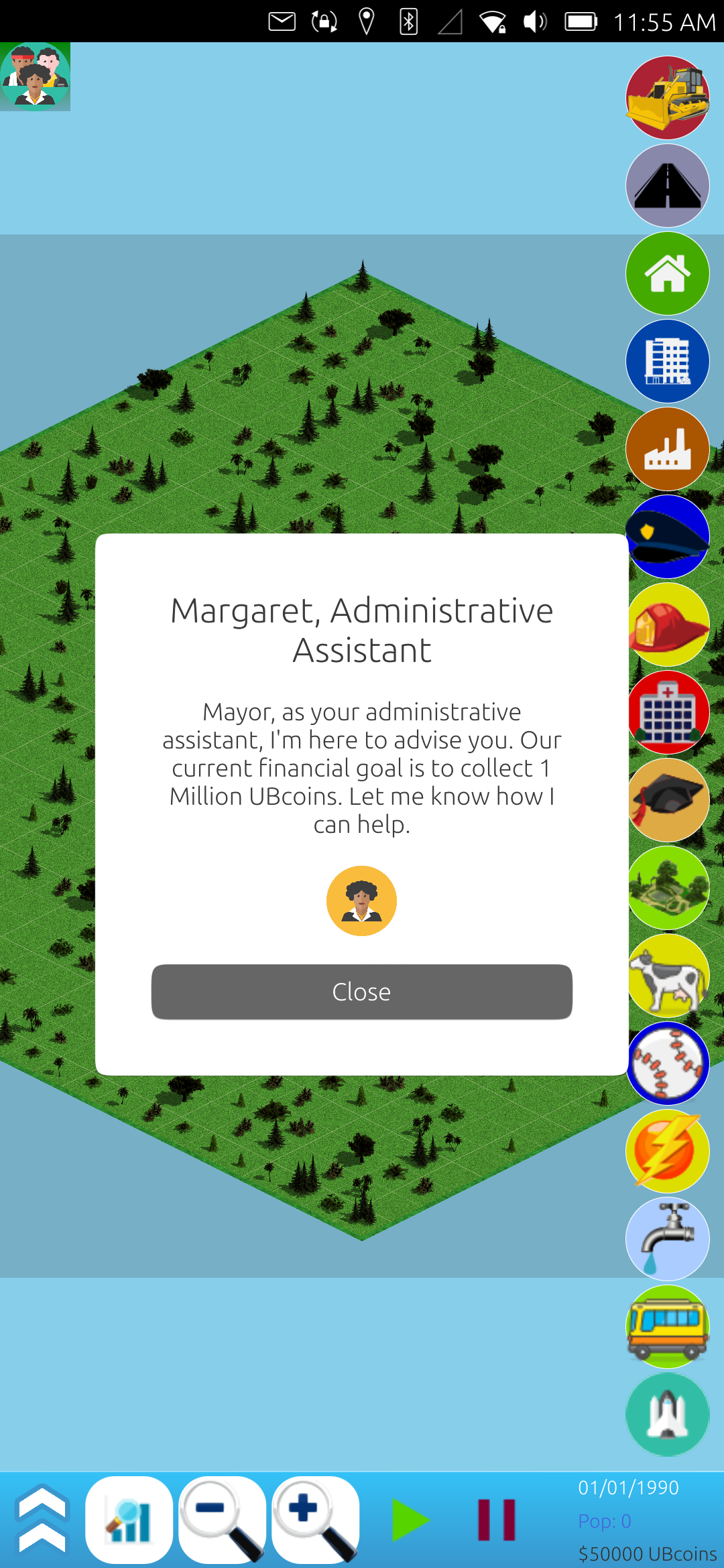
After months of trial and error, grinding and chipping away at it, and generally slow but steady work, CitySim is done! That's right, I've released version 1.0 and published it on the OpenStore[2]! Ubuntu Touch users can now download and play my simple city simulation game.
I did make sure to run a beta test for a week before release, but unfortunately, I only recieved input from one beta tester, good or bad. Hopefully the game is scaled properly on the various phones out there, and that it works as it should. I personally could only test it on the desktop, a FairPhone 4, and a Nord N10 5G, but there are so many phone models out there, many with varying screen sizes and pixel density, that I am always concerned about how any of my projects will display on different screens.
Either way, I can only praise God for allowing me to finish it, and I feel that I learned so much from this project. I plan to take what I've learned and use it on the EveryBible project to load and display different Bible versions. There were several parts I was stuck on, and I think CitySim may have shown me the way forward on those code blocks I was stuck on.
Also a shout out to the original creator of the demo/game, zubozrout[3], for creating a framework that could be used for the final product! I know on my own, this project would have never got off the ground, and I want to be sure to credit the original author for thier hard work!
As always, you can check out the completed code on my gitlab[1] if you are interested.
Linux - keep it simple.
[1] https://gitlab.com/alaskalinuxuser/citysim-ubuntutouch [2] https://next.open-store.io/app/city.alaskalinuxuser/ [3] https://github.com/zubozrout/citysim-ubuntutouch
Singing and translating CitySim
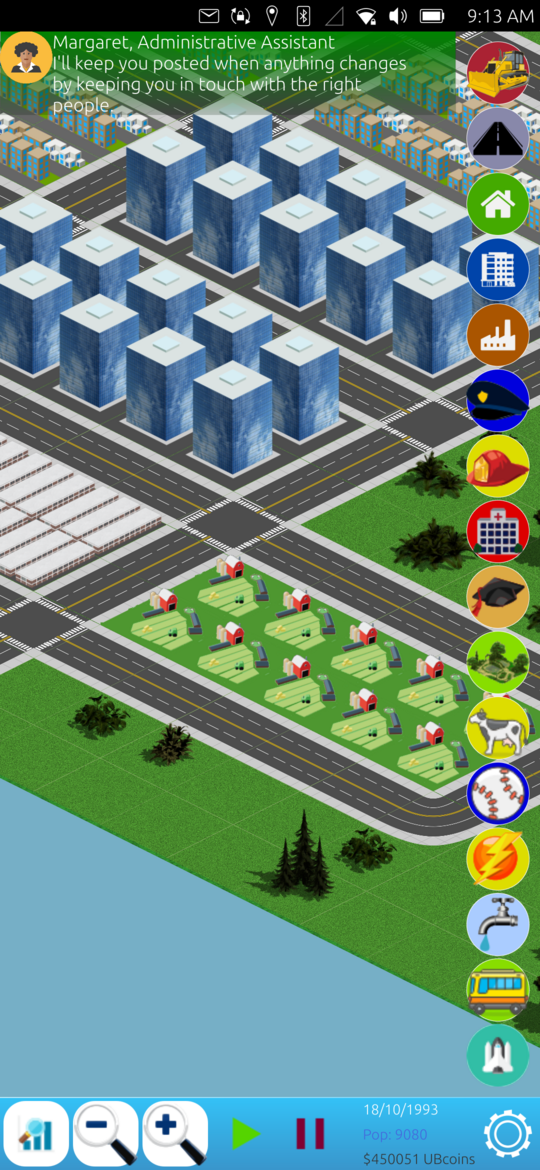
Never a dull moment for CitySim! I was blessed to be able to get lots of work done on it today, as I had a little extra free time. The two major things I accomplished were fixing the sound, and getting it ready for translations. The sound was relatively easy, but adding the ability to translate the app programatically was a real pain!
Sounds like fun
As the final major hurdle of the game itself, fixing the sound was rather anti-climatic. Perhaps I'm slowly catching on to how JavaScript, QML, and C++ work, or, and more likely, there was already enough of a framework built by the previous owner of the app that I could readily make use of it. First, I stopped by FreeSound to pick up some nice, relaxing music by a user named Migfus20 [2] that was licensed under Attribution 4.0, making it easy to integrate legally into the game.
With one line of code added to the Main.qml file, like so Logic.gameHolder.settings.muteSound = false;, I was able to make sure when the app started, it knew that the sound was not muted before it begins showing the menu or the game. Then, I reused the existing audio blocks already in the game to play the music:
Audio {
id: musicPlayer
source: "../assets/audio/backgroundmusic.ogg"
autoPlay: false
loops: MediaPlayer.Infinite
volume: 0.25
}
And had a simple check to see if the music should play or not, based on the muted variable I created earlier:
function isMusicMuted() {
if(Logic.gameHolder.settings.muteSound) {
musicPlayer.stop();
} else {
musicPlayer.play();
}
}
Finally, I tied the Logic.gameHolder.settings.muteSound variable to a mouse area superimposed over a mute button, like so:
MouseArea {
anchors.fill: parent
onClicked: {
// Show graphs and stats.
if(Logic.gameHolder.settings.muteSound) {
Logic.gameHolder.settings.muteSound = false;
soundOnOffImage.source = "../assets/icons/sv/icons/music-note-2.svg";
uTBsound.play();
} else {
Logic.gameHolder.settings.muteSound = true;
soundOnOffImage.source = "../assets/icons/sv/icons/music-note-off-2.svg";
}
}
}
And for any sounds I used in the game, I would run an if/then statement on the muteSound variable to see if the sound should play or not. I was really thankful that it worked out so well, because I expected the sound to be a bit more horrendous to work on. Now, for the record, I decided not to implement the sound for each building being built, as it tended to be quite noisy, but I may revisit that later.
Translating an app
No for the tough part, implementing translations. I'm not sure how this works in other projects, but Ubuntu Touch projects use a tool called gettext and cmakelist.txt files to automatically build translation files, .po and .pot files, which look through all of your code for strings of words marked with the tr() or i18n.tr() around them. Once you have a po or pot file, someone can make a copy of the file in say, French, and edit the words to their language. These files have markers like this:
#: ../components/AboutDialog.qml:84
msgid "Source Code:"
msgstr ""
These file markers tell it that line 84 of the AboutDialog.qml says "Source Code:" and they can make one that says those words in another language. What is also handy about these files, is if the phrase, "Source Code:" is used 73 times in all your files, it will only show one msgid/msgstr entry, but will tie it to all 73 places it is used. Thus, the translator can edit once for 73 instances of that phrase.
Then, these po/pot files are included with the game. When a user has French set as their environment variable language, then the game will look to see if there is a French.po file and load that rather than display the English words I originally wrote into the game while programming it.
Granted, a translator still needs to do the work of translating the words/phrases of the app, but it allows me to ship one app with as many language po/pot files available, and users can then read the game in their own language! Pretty cool! And, as Ubuntu Touch is a global community, there are many folks who like translating new apps into their language!
However, all of this is designed around the premise of a built in system that is part of the app templates. Since I was taking an older game and making it new, it did not have these parts built into it from the beginning, and I had to add them later. This proved very difficult to do, and was a lengthy process. If you want to do the same, or to see how it was done, you can check out these three commits, which took me HOURS of relentlessly trying different ways to make this work while looking at the original app templates:
https://gitlab.com/alaskalinuxuser/citysim-ubuntutouch/-/commit/83960ec6a744811b2f39a9dd5ee3c0d904635c66 https://gitlab.com/alaskalinuxuser/citysim-ubuntutouch/-/commit/a86240222bcebbd062643c6624763576e290da98 https://gitlab.com/alaskalinuxuser/citysim-ubuntutouch/-/commit/3d58ec4866dc0ef5bfe3f96fc88765e948485f49
And hopefully they will help the next person do this much quicker, and easier!
I also made countless small adjustments as I tried to fine tune the game mechanics, but most of them were pretty small and inconsequential. Don't forget that you can check out all these commits on Gitlab, if you want! [1]
Linux - keep it simple.
[1] https://gitlab.com/alaskalinuxuser/citysim-ubuntutouch [2] https://freesound.org/s/586838/
CitySim beta testing
With only the audio left to work on, I decided it was time to start beta testing the game. I put it on the UBports forum[2] so others with Ubuntu Touch phones could try it out. Unfortunately, I didn't get much traction there. I also posted it on the UT QA telegram channel, where you can post an app to have it QA'd before release, and I did get one person who tried it out there. I don't want to sound discouraged here, but it was rather sad that I didn't get many takers on trying out what I thought would be a great game. There is such a huge lack of games on UT that I figured people would be very interested in it.
In any event, one person did try it out, and they brought up three points for me to consider:
No tutorial (maybe i am too dumb, but how can i earn money?)
When you enter menu, you cant go back to game
In menu load game button doesnt seem to work
Creating a tutorial
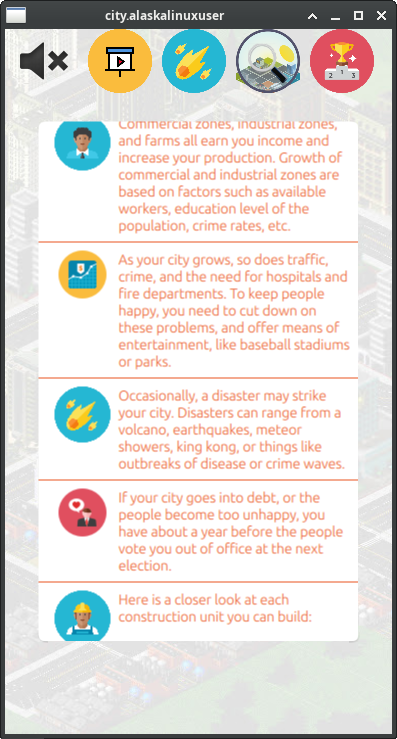
It's kind of funny, but when we work on something, we become so focused on it, that we don't consider what other people may know or not know, or think or not think about your project. So it was really helpful to get these insights from him. It never occured to me that someone could have grown up without playing "SimCity" or one of the clone games, and not know what to do to play this game. Of course, even for those who played SimCity growing up, they may be unfamiliar with the quirks of my game. This lead to creating a tutorial. I'm not sure that it is the best tutorial, but I feel it will at least get them pointed in the right direction.
Return to game button
As for the "going back to game" comment, I realized that there was a little bit of a workaround that I had been using for so long it became the norm. You see, if you are playing the game and then click the menu button, the menu screen appears. Typically, I save the game, do whatever, and then hit load game to return to the game. This of course is not propper for several reasons.
First, you shouldn't have to save so you can load to go back to the game. In fact, you may not want to. You may have a saved game you are saving for later, and just be playing a fun little game in the mean time. You should simply be able to return to the game in progress, without saving it.
Second, saving and loading the game actually changes the game a little bit. For instance, some variables are set, saved, and loaded, while others (which I deemed inconsequential) are not. While I feel that there is no loss of gameplay value, some of the smaller variables, especially some of the randomized ones, can change, causing a slightly different outcome. While I don't care if the user cheats, personally, I can see how someone could save the game, look at the saved game file, and then know how the next randomized thing was going to transpire, thus preventing or preparing for it. By not saving some of those randomized things, you save the wasted code and space of saving and restoring them, and just simply make a new randomized number for it's value when the game is launched. A silly, but interesting example is where the forest trees are. Forrest trees are randomly planted every time the game is loaded, so a tile may have "tree-A" on it when you went to the menu and saved the game, but when you load the game, it may have "tree-B" on it instead. It has no affect on the game itself, other than perhaps some sort of cosmetics to the user.
Third, saving and loading the game takes more time than just returning to the game. Even though it only takes a second to save, and a second to load, as well as a few seconds of pushing okay on the save popup, that's still about 5 seconds longer than just pressing "return to game" and instantly being back on the field. Certainly a good suggestion and I'm glad it was brought up.
Loading saved game didn't work
This was an interesting one, because the person giving me feedback said that saving and loading the game sometimes didn't work. I tried it several times without issue, so I was a bit perplexed as to what the problem could be. Fortunately, the beta tester was willing to provide a log, and it pointed me in the correct direction. The problem wasn't actually with saving and loading the game, but rather that it saved a bad block of data and couldn't load it. The reason it saved a bad block of data was because if you clicked on a building to construct, but didn't have enough money to actually build it, then when you clicked on the map it would write a blank block to that square of the board.
The reason this happened was because the check for cost vs bank account took place too late in the process. In the end, I simply had to move the cost vs bank account statement to an earlier point in the code, before it destroyed the current block. You can take a look at the code[3] on my gitlab if you'd like, but it was pretty simple.
Bug squashing: uppended roads
One bug that I found during my testing, which needed some work, was uppended roads. For some reason, roads get uppended when hit with a disaster. What I mean by that, is when a disaster strikes a road tile, instead of replacing the road tile with the disaster tile, you end up with a road tile sticking straight up out of the ground. In some ways, that may be commical and desireable, but doens't help much with playing the game and makes the visuals very odd.
When you click on such a tile, trying to get more information from it, it will report back the disaster tile that it was supposed to be, e.g, rubble for an earthquake, blaze for a lava pool, etc. So, I had to figure out when in the code, and why in the code, this happens.
First, I added some code to the BdBlock.qml to see what was going on under the hood. Was the road refusing the replacement tile name, or what?
abstractBlock.holding = holding;
var jsonString = JSON.stringify(abstractBlock.holding.objData);
console.log(jsonString);
gameHolder.boardArray[xPos][yPos] = abstractBlock;
abstractBlock = Logic.gameHolder.boardArray[xPos][yPos];
jsonString = JSON.stringify(abstractBlock.holding.objData);
console.log(jsonString);
gameHolder.updateNeighbours(xPos, yPos);
abstractBlock = Logic.gameHolder.boardArray[xPos][yPos];
jsonString = JSON.stringify(abstractBlock.holding.objData);
console.log(jsonString);
All of that fancy looking code simply logs what the gameholder boardarray thinks the tile should be three times in a row. The first time is to tell me what I am updating it with, the second time is right after that abstract block is written to the board array, and the third time is after a function call to "updateNeighbours".
qml: {"boardImage":"../assets/lands/empty/rubble_tile.png","destroyable":true,"imageRotation":-45,"income":0,"level":-1,"location":"../assets/lands/empty/Rubble.qml","mapColor":"#d00","name":"Rubble","noise":"../assets/lands/empty/bird.wav","placed":true,"pollution":0,"price":0,"replacable":true,"size":1,"sound":"../assets/lands/empty/bird.wav","viabilitySource":false,"volume":0.5,"zone":"b","initial":false,"production":0,"xPos":0,"yPos":4}
qml: {"boardImage":"../assets/lands/empty/rubble_tile.png","destroyable":true,"imageRotation":-45,"income":0,"level":-1,"location":"../assets/lands/empty/Rubble.qml","mapColor":"#d00","name":"Rubble","noise":"../assets/lands/empty/bird.wav","placed":true,"pollution":0,"price":0,"replacable":true,"size":1,"sound":"../assets/lands/empty/bird.wav","viabilitySource":false,"volume":0.5,"zone":"b","initial":false,"production":0,"xPos":0,"yPos":4}
qml: {"boardImage":"../assets/lands/road/end_bottom.png","destroyable":true,"imageRotation":-45,"income":0,"level":-1,"location":"../assets/lands/empty/Rubble.qml","mapColor":"#d00","name":"Rubble","noise":"../assets/lands/empty/bird.wav","placed":true,"pollution":0,"price":0,"replacable":true,"size":1,"sound":"../assets/lands/empty/bird.wav","viabilitySource":false,"volume":0.5,"zone":"b","initial":false,"production":0,"xPos":0,"yPos":4}
A careful eye will notice that the rubble tile is written correctly to the abstractBlock, and then written correctly to the boardArray. For all intents and purposes, the board array believes it is a rubble tile. However, after the call to gameHolder.updateNeighbours(xPos, yPos); to update it's neighbors of the change, ther is now a wrong "boardImage". It has all the characteristics of rubble, but with a "end_bottom" road image in it's place. Which reveals that the road is replaced with rubble until the function is run. At least now I know where to look for the issue.
The entire updateNeighbours function looks like this:
Game.prototype.updateNeighbours = function(xPos, yPos) {
var neighbours = this.getNeighbours(xPos, yPos);
for(var prop in neighbours) {
if(neighbours[prop] && neighbours[prop].holding.update) {
neighbours[prop].holding.update(gameHolder, {
x: neighbours[prop].base.xPos,
y: neighbours[prop].base.yPos
});
this.boardArray[neighbours[prop].base.xPos][neighbours[prop].base.yPos].base.update();
}
}
}
So not a lot to work with here. However some other functions are called during this update. I decided to start by checking what the output of the getNeighbours was for the current tile, like so:
Game.prototype.updateNeighbours = function(xPos, yPos) {
console.log("update neighbours");
var neighbours = this.getNeighbours(xPos, yPos);
var jsonString = JSON.stringify(neighbours.current.holding.objData);
console.log(jsonString);
for(var prop in neighbours) {.....
Which revealed that at this point, it still believed the tile was rubble, and not a road. So the issue or problem must show up later in the code.
Thus, I moved a little farther down the line, like this:
for(var prop in neighbours) {
if(neighbours[prop] && neighbours[prop].holding.update) {
neighbours[prop].holding.update(gameHolder, {
x: neighbours[prop].base.xPos,
y: neighbours[prop].base.yPos
});
this.boardArray[neighbours[prop].base.xPos][neighbours[prop].base.yPos].base.update();
jsonString = JSON.stringify(neighbours[prop].holding.objData);
console.log(jsonString);
}
Which yeilded these results:
qml: It's an earthquake! 35
qml: update neighbours
qml: {"boardImage":"../assets/lands/empty/rubble_tile.png","destroyable":true,"imageRotation":-45,"income":0,"level":-1,"location":"../assets/lands/empty/Rubble.qml","mapColor":"#d00","name":"Rubble","noise":"../assets/lands/empty/bird.wav","placed":true,"pollution":0,"price":0,"replacable":true,"size":1,"sound":"../assets/lands/empty/bird.wav","viabilitySource":false,"volume":0.5,"zone":"b","initial":false,"production":0,"xPos":0,"yPos":2}
qml: {"boardImage":"../assets/lands/road/end_bottom.png","destroyable":true,"imageRotation":-45,"income":0,"level":-1,"location":"../assets/lands/empty/Rubble.qml","mapColor":"#d00","name":"Rubble","noise":"../assets/lands/empty/bird.wav","placed":true,"pollution":0,"price":0,"replacable":true,"size":1,"sound":"../assets/lands/empty/bird.wav","viabilitySource":false,"volume":0.5,"zone":"b","initial":false,"production":0,"xPos":0,"yPos":2}.....
To explain, the first QML JSON data shows what I logged earlier, this is the data that is there before the base.update takes place, which is the correct data with the rubble_tile. But for some reason, when the base.update happens, we get this second QML JSON data, which shows the wrong road tile. I narrowed it down further, and found that this bit of code is where the change takes place:
// So the problem happens between here:
neighbours[prop].holding.update(gameHolder, {
x: neighbours[prop].base.xPos,
y: neighbours[prop].base.yPos
});
// And here.
Which actually lead me to consider, what does updateNeighbours actually do? After some searching and consideration, I think what it does is re-choose which road tile is displayed for any given road square because it may need to reroute a road that has changed. E.g., when you build a road tile, it no longer is a straight road, but is now a three way intersection, so it updates the neighboring tile's road image to match the newly formed outcome. That's really important, because if you build a bus station on a road tile and that changes the next road tile from a three way intersection to a straight road, then it should update the image to reflect that.
But as I thought on this, I realized that I actually didn't need to run this check at all! You see, when a meteor hits your road, you didn't purposely change it, so it shouldn't fix itself or route a new direction, it should look like it dead ends at rubble, because that is what happened. While I should have been able to figure out and fix this, the truth is, I didn't want it to happen at all! All I had to do to solve this issue was to comment out one line:
//gameHolder.updateNeighbours(xPos, yPos);
That way, the check is never run, which then wont fail, and all is not only well, but better, because now the roads look like they dead end at rubble or lava, or whatever disaster struck it. I guess it really was much ado about nothing, in the end!
Hopefully, more beta testers will chime in, but if not, my next goal is to tackle audio. We'll see how that goes! And remember, you can always check it out on my gitlab[1] if you are interested.
Linux - keep it simple.
[1] https://gitlab.com/alaskalinuxuser/citysim-ubuntutouch [2] https://forums.ubports.com/topic/12270/call-for-testing-beta-citysim-a-city-simulation-game [3] https://gitlab.com/alaskalinuxuser/citysim-ubuntutouch/-/commit/76c4c9060aea25e60a8b36450e7d9c10d5ddf0a9
CitySim Scenarios
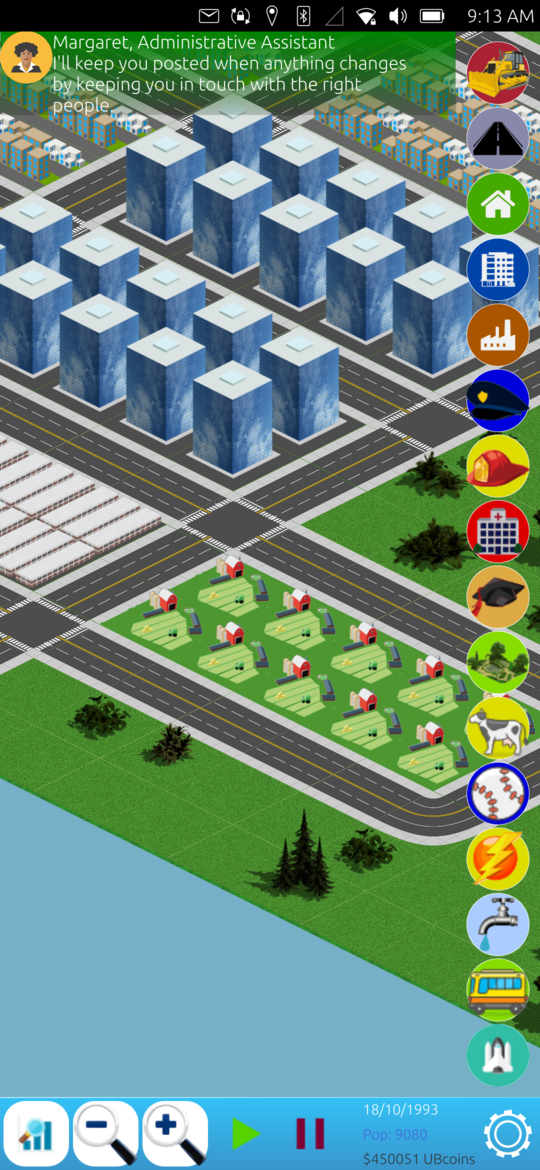
As I mentioned before, we are getting down to the last few items left to complete CitySim. Last post I talked about creating disasters and mayhem in CitySim, and that means the big ticket items left were working on audio and building scenarios. I did make a few adjustments to the disasters since the last post, and they were fairly straight forward:
I changed the volcanos to be impervious to destruction, until their time runs out (about a month).
Meteor showers now strike a medium sized area, making it a good middle ground between earthquake and volcano.
But back to the subject at hand, I have created some scenarios for the game, which I hope are all unique and interesting.
Million Dollar Mayor
This scenario is sort of the "introduction to scenarios" with a fairly simple victory condition. All you have to do is amass 1 million UBcoins, which makes for an easy scenario. You could litterally get your city net positive on money and just wait until you have enough cash to win. Again, my goal is a relaxing past time for a game, and I think this fits right in.
Happy Heart
A little tougher and hopefully taking on a new aspect of the game, the Happy Heart scenario is based on building a city with 1 million people, who are all happy citizens, e.g., 99% happiness factor. Of course, there is a little story about getting your city put into a magazine for the happiest place to live, etc., but the premise is simple, but very hard to accomplish. Like they say, you can't make everybody happy all of the time... unless you need to win this scenario. I hope that this is more of a deep thought/planning exersize, but we will see.
Export Expert
Sort of a tougher version of the Million Dollar Mayor scenario, with this variation focusing on your exports, rather than cold hard cash. One of the big problems in this scenario is pollution, but other than maintaining a basic work force, you don't have to worry too much about population control, nor their related issues. Once your exports reaches 2500 exports per day, you win.
Disastermania
There may be some folks who want a little more struggle in the game. For the most part, my goal is a relaxing, simple game where you build up and watch your city. However, for those who need a little more action, or those who just like watching King Kong destroy their city, I added this scenario. A normal game has a disaster every 20 to 60 minutes. In this scenario, disasters occure between 5 and 15 minutes, making them pretty common occurences. The goal is to reach 1 million residents, despite volcanos and earthquakes obliterating your city on a regular basis.
Space Race
For the final scenario, you have to build and launch a rocket, carrying an astronaut, into space. Again, more of a relaxing past time, you simply need to build a city big enough, with enough income, to support the expensive launch pad opperation, which takes a whole year to launch. Once you've built the city big enough to support the endevour, you simply sit back and watch it happen.
None/Free play
While not really a scenario, you are given the option just to free play the game as well.
For all of the scenarios, you are given some sort of bonus money when you complete them, and you are allowed to continue playing that game for as long as you like, earning more badges or just enjoying your handiwork. It is my hope that these scenarios do not coincide with the earning of badges, which can happen in any scenario, but rather that they each present a unique aspect of the game to the user, causing them to hyper-focus on one particular part of the game.
If you want to check it out on my gitlab[1], you can ponder over my odd code choices....
Linux - keep it simple.
[1] https://gitlab.com/alaskalinuxuser/citysim-ubuntutouch
A CitySim Disaster
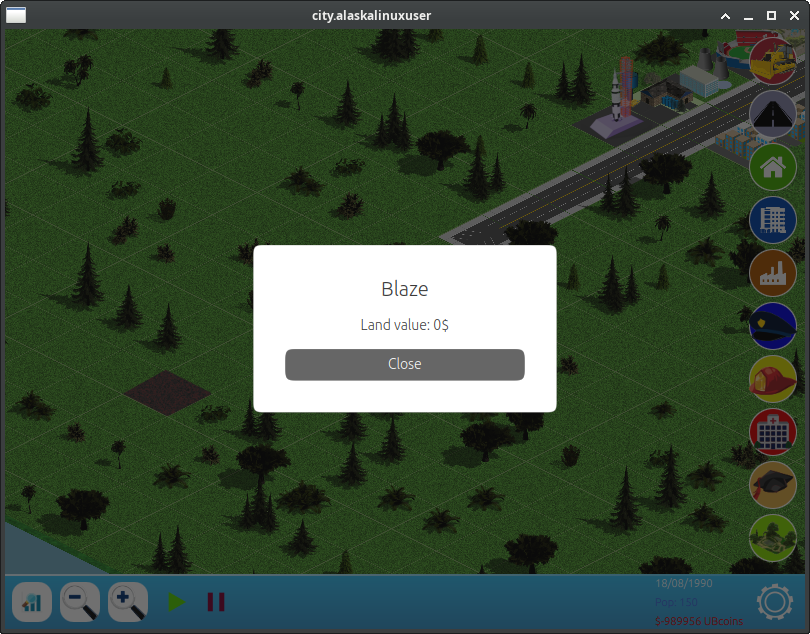
Well, at least a virtual one! I just finnished adding disasters to CitySim, and that was pretty challenging, but also really fun! The disasters that are available are:
Volcano
King Kong
Earthquake
Meteor Shower
Crime Wave
Outbreak
Each one of them brings what I hope are unique challenges to the game, but also an element of fun. I'll break down each one here:
Volcano
A small volcano errupts somewhere on the map! Lava then spills over, creating small blazes in a random pattern around the mountain. Ultimately, it can "damage" up to 24 tiles, but this one is rather contained to one area. That means it densly damages a small area.
King Kong
This one was my absolute favorite to build, hands down. King Kong, the oversized gorilla shows up on your map and meanders in a wandering path accross your map, with a fun "walkingish" motion, leaving rubble behind in his wake. In theory, he can damage up to 32 tiles in a "wandering road" kind of line.
Earthquake
The most massive damage of all of the disasters, totaling up to 64 squares of rubble and ruin dispersed throughout the map. A fun note about this disaster is that I leaned how to send flickable commands to the board holder, as if you swiped back and forth on the screen, to immitate a small earthquake with a shaking motion.
Meteor Shower
I feel this one is a bit of a letdown, and I hope to fix it up better later. As it stands, overnight your town gets pummeled with up to 24 meteors, leaving rocks and craters all over the landscape. I wanted to have some sort of animation, though, so I hope to come back to this.
Crime Wave
Gangsters move into your city and start causing mayhem. Your crime rate doubles, and if you don't have enough police coverage (through police stations), every day there is a random chance that the criminals will destroy one of your buildings.
Outbreak
When there is an outbreak, your hospitals become overwhelmed and people leave your city. The duration of the affect depends on how many hospitals you have available. The more you have, the quicker the outbreak ends and things get back to normal. In the meantime, your population is lower than normal, and it is harder to upgrade your residential areas.
My hope is that each one of these events provides something unique to the game. Unfortunately, I think the Meteor Shower may not do that very well, which I also why I want to work on that one some more. I was thinking that it could be the go-between of the volcano, which is dense damage centered on a spot, to the earthquake, which is damage spread out over a wide area. I was also considering adding some sort of financial crisis, like inflation, but I decided against it for now.
Either way, the game is shaping up nicely, and all that remains are the sounds and the scenarios. You can check it out on my gitlab[1] if you are interested.
Linux - keep it simple.
[1] https://gitlab.com/alaskalinuxuser/citysim-ubuntutouch
Getting badges in CitySim
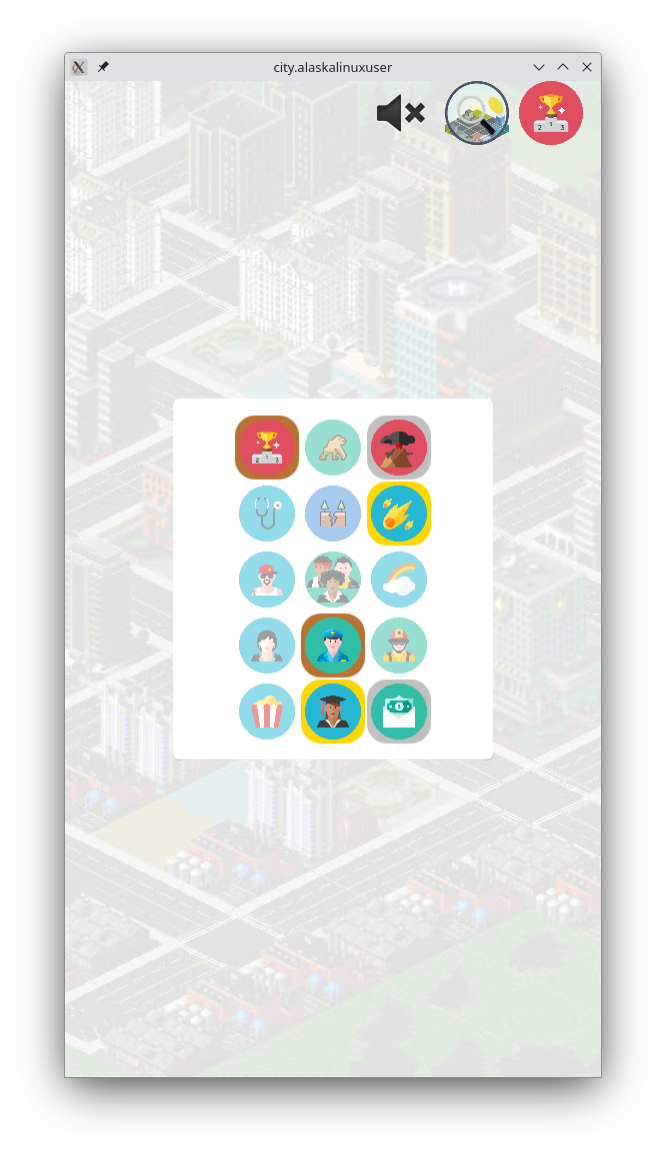
I think that I am beginning to hate JSON. Or maybe it is just really hard to parse it in JavaScript and C++. But when I look at examples online, parsing JSON looks very easy and straight forward. So I guess the problem is just me. Either way, despite the dislike of working with JSON, the CitySim game is really coming along. It is starting to become an actual game. Before, it really was just a city building app that had no real purpose. You built buildings to gain or lose money, and it never really ended and you never really won. There just wasn't really a point.
That has now changed. At least a little bit. Now there is a point: collecting badges. And hopefully soon, I will be able to add another point: scenarios with objectives. But for now, there are at least badges. You can build your micro-city in the palm of your hands and get rewarded by little popups telling you that you have earned a new badge! There are 15 badges in all, with three levels (gold, silver, and bronze) making for 45 unlockable acheivements. To be completely honest, I am not sure all of them are acheivable.
I mean, I know that the disaster badges are not currently possible, since we don't have disasters added into the game (but the infrasturcture is all there to do it). However, what I mean is that I am not entirely sure if the population badge of 1 million people is actually possible. In theory, based on math, I know that the city plot is 1024 squares, and that a level 4 residential area can hold up to 3000 people in one square, so that would only require 334 residential zones, leaving 690 squares for support. Mathematically, that should work. I'm just not sure if it will actually work. What will traffic, pollution, and crime be like at that point? More math, more figuring... but it should work.
We'll just have to play it and see.
I also made this snazzy little "about" popup, to give credit to the original creator, and show where interested parties can go to read the source[1] code:
Simple, but hopefully useful enough. The big question now is: what's left? Well, lots, but mainly in these three categories:
Audio
Disasters
Scenarios
Perhaps a distant fourth is the potential QT6 upgrade, since Ubuntu Touch is getting ready to drop that sometime in the next year.
Audio
Thus far, I have completely ignored the audio portion of the game. It was pushed to the backburner because most of my development is done with "clickable desktop" running the game on my computer desktop, which causes pulseaudio errors. However, when I test it on my phone, sounds do work, but not always properly. I think I will need to completely revamp the sound/audio methods and settings for the game, so it will be a big task.
Disasters
I already created the framework for disasters, and currently use it for the fire/blaze that happens when you don't have adequate fire coverage (e.g., too few fire departments). Now I need to figure out what I'd like to do for the disasters to actually happen. Do I want a visual disaster that takes a certain number of days? Do I pause the game, launch the disaster, then unpause the game? Does the disaster just happen, and you get a popup from some general telling you King Kong just wrecked your town, but they put a stop to it, and you deal with the aftermath? And what will differentiate a volcano erruption from a meteor strike?
I believe a big difference will be the destruction pattern. A volcano will have a center and spread out over the surrounding tiles. King Kong will probably walk across the map, leaving rubble behind. Meteors will likely hit several spots at once. I'm also excited for my non-destructive disasters, such as outbreak, causing population decrease, and crime wave, increasing crime, thus forcing you to build more police departments, etc. I was also considering one like inflation, where prices go up for you, but you don't get more money from the people, and things like that. In any event, I also need to determine how often a disaster can strike, and still feel random.
Scenarios
Also important is to implement the different scenarios. I'd like to keep these distinct from the badges you earn, though. That way the earning of badges and the winning of scenarios will not coincide. Obviously, I've already stated that the crowning acheivement, and last scenario will be that of building the space ship launch pad and sending an astronaut to space, but I'd like to think of a few more unique scenarios that will be interesting to play, but also keep with my relaxing theme.
So, lots more to do, but it seems to really be taking shape now! I guess I'll get back to working on it....
Linux - keep it simple.
[1] https://gitlab.com/alaskalinuxuser/citysim-ubuntutouch